Prop it up.
Just swing.
SwingOK films you hands-free, catches each swing on its own and breaks it into the ten positions from address to finish. Then it tells you, in plain English, what to work on first.
Public beta open now
Sign in with AppleFree during the beta. Early testers get founder pricing at launch. iPhone, iOS 26 or later.
Sign in with Apple only gets you the beta. The app itself needs no account, and your swings stay on your phone.
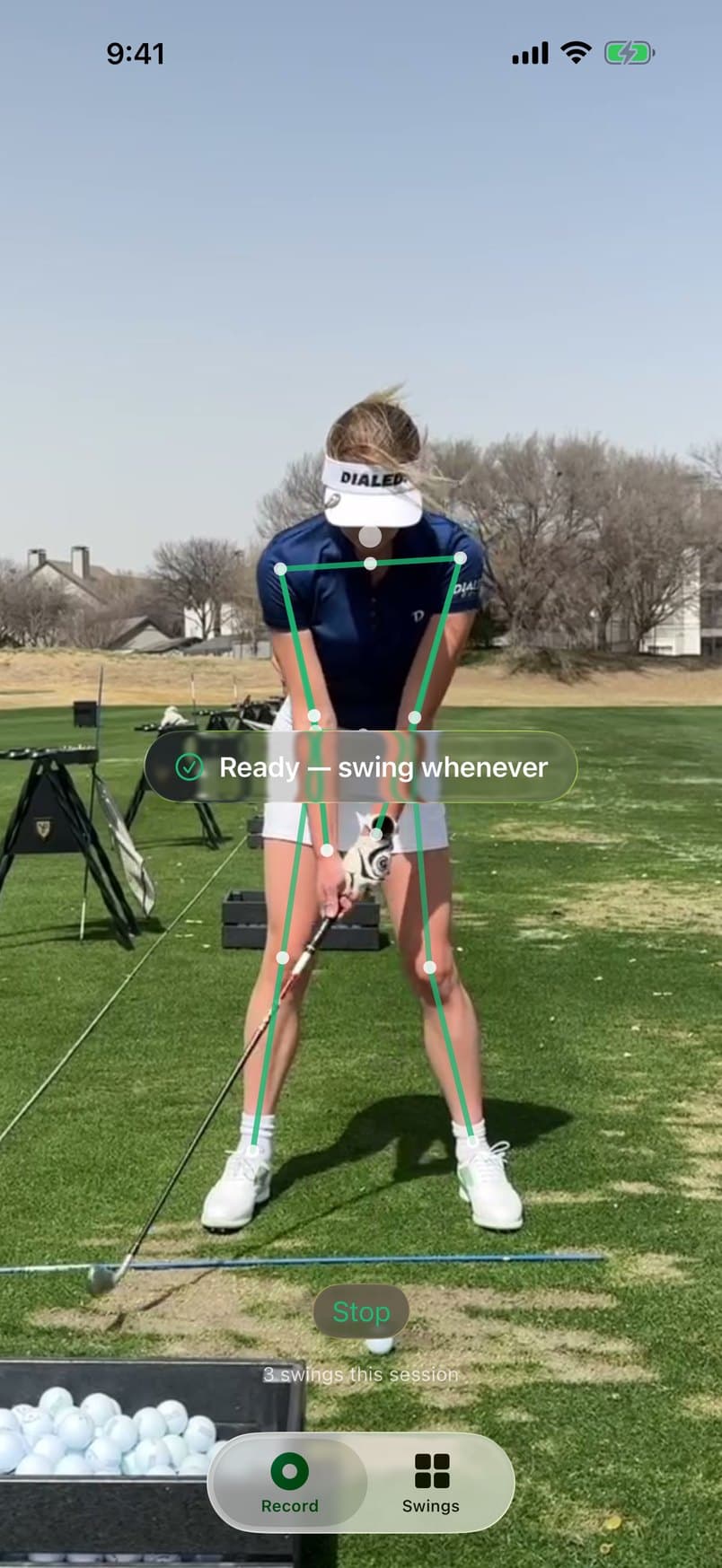
Hit balls. It does the filming.
Nobody holding the phone, nothing to press between shots. Arm it once and keep hitting: each swing is caught, trimmed and waiting when you walk back.
It talks you into frame
Before you swing, SwingOK tells you out loud what to fix in the setup.
- Level the phone
- Step a little closer
- Step back
- Get your whole body in frame
- Find more light
Prop it up
Lean your iPhone on your bag or a tripod, down the line or face-on.
Tap Arm
Then walk to the ball. No remote, no timer, no walking back to press stop.
Settle and swing
It sees you settle at address and catches the swing on its own. A tone tells you it got it.
Rake the next one
The walking and the waggles are trimmed away. What’s left is the swing, ready to read.
Records at up to 240 frames per second on iPhones that support it. The rate you get depends on your model and the light.
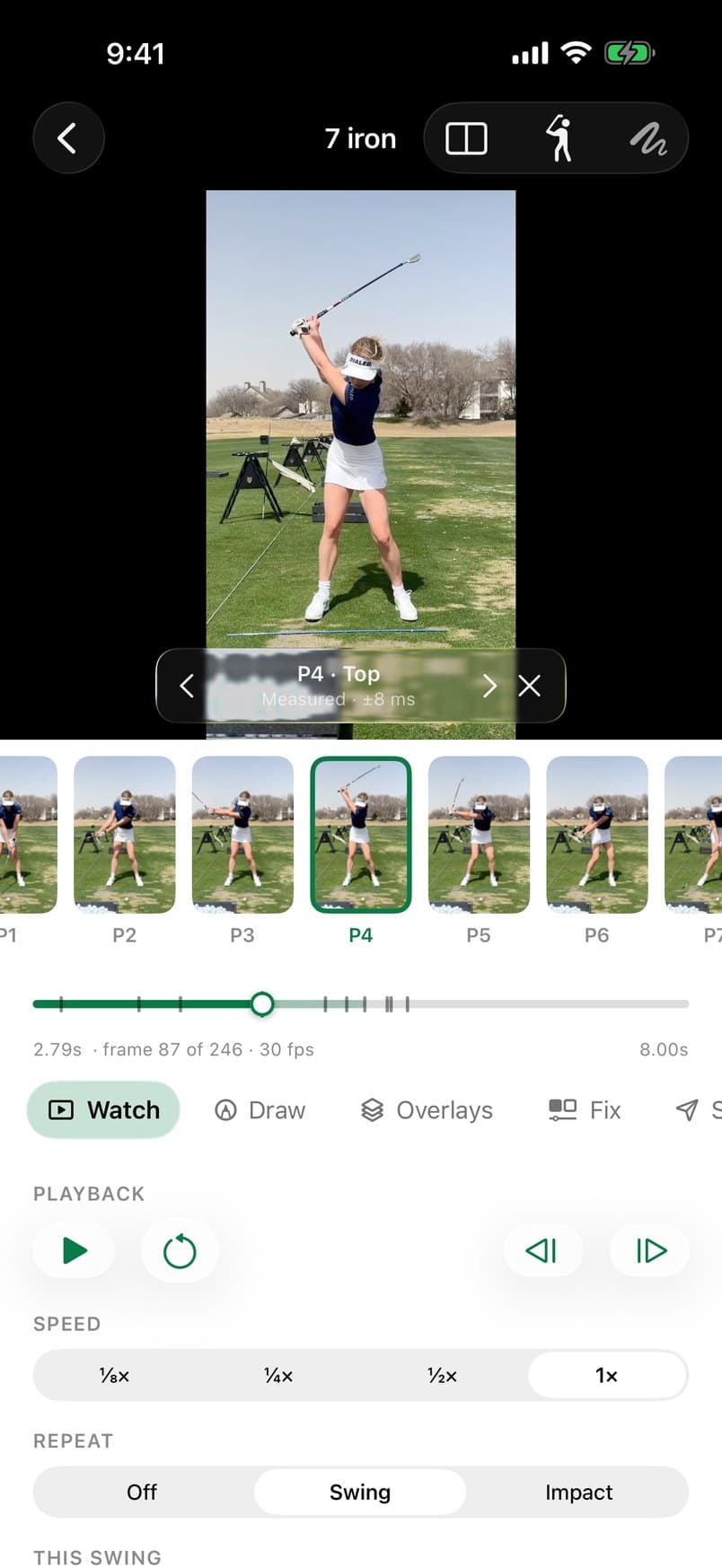
Ten positions. Every swing.
Each swing is split into the ten checkpoints coaches use, from P1 at address to P10 at the finish. Step through it frame by frame, or tap straight to the top or to impact.
When a position had to be estimated rather than seen clearly, it’s marked as estimated, and the coaching never leans on it.
- P1Address
- P2Takeaway, shaft parallel
- P3Lead arm parallel
- P4Top
- P5Lead arm parallel, coming down
- P6Shaft parallel, coming down
- P7Impact
- P8Shaft parallel, through
- P9Lead arm parallel, through
- P10Finish
One thing to work on. Said the way you’d say it.
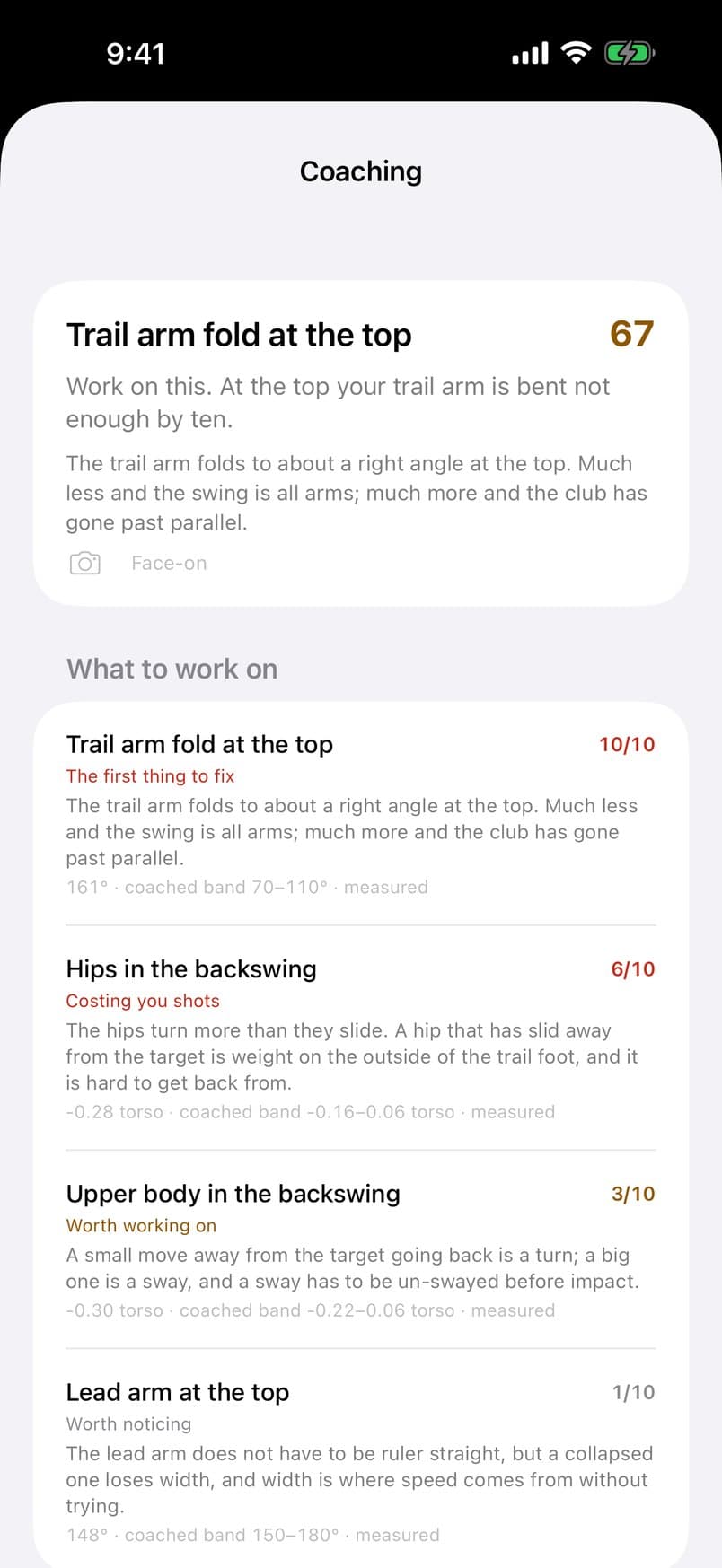
SwingOK reads where your body actually was at each position and turns it into plain English: a headline fault to work on first, a score, and the rest of what it found, ranked below it.
Body tracking runs on Apple’s Vision framework, right on the phone. A yellow tracer follows the clubhead on the video, so you can see the shape of the swing too.
What it checks
At address
- Spine tilt
Backswing and top
- Hips in the backswing: turn or sway
- Upper body in the backswing
- Posture at the top
- Hip height at the top
- Lead arm at the top
- Trail arm fold at the top
- Trail elbow at the top
- Trail knee at the top
Impact and through
- Posture at impact
- Hips at impact
- Lead leg at impact
- Spine angle through impact
- Head steady to impact
Draw on it like your coach does.
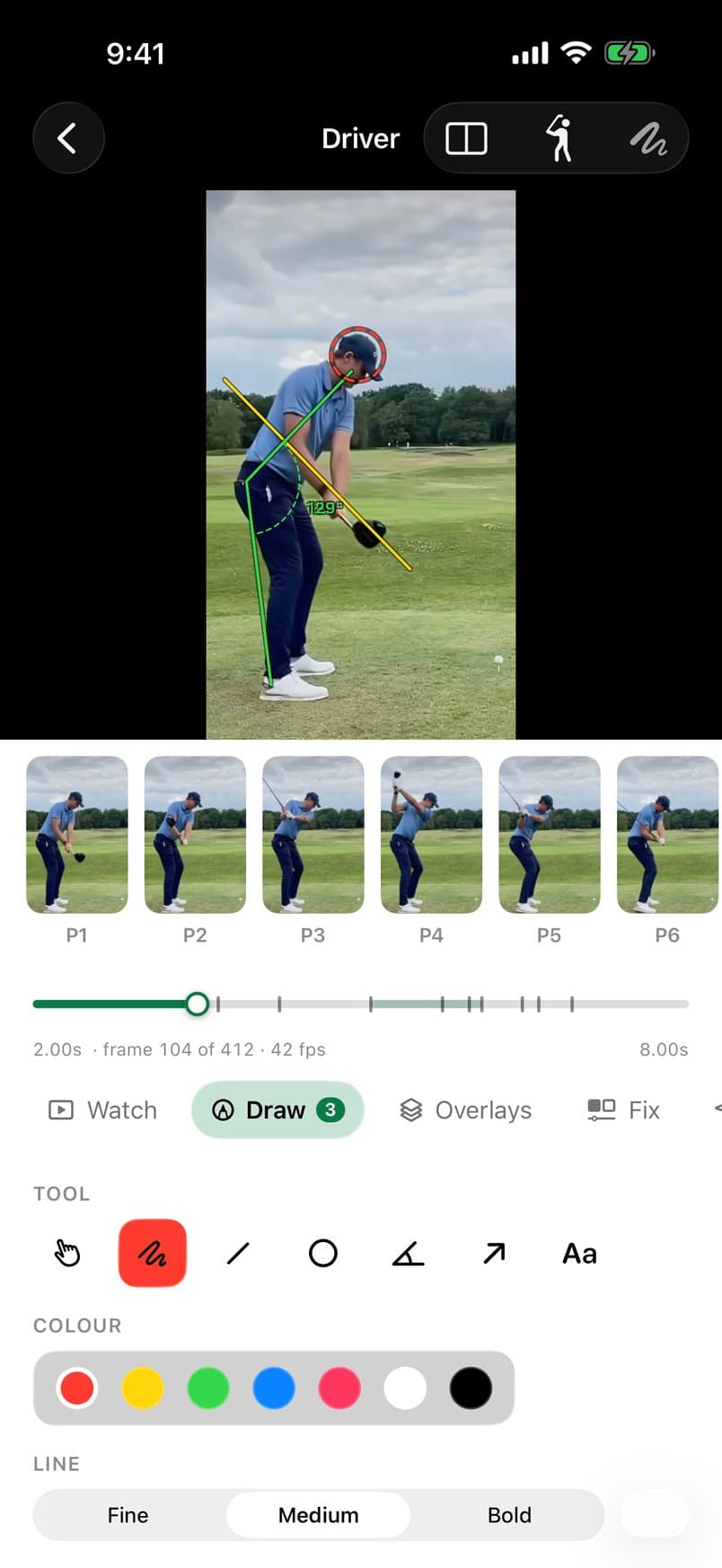
Pause on any frame and mark it up. Pick a colour and a line width, zoom in close, undo and redo as you go.
- Lines
- Angles, in degrees
- Circles
- Arrows
- Text
- Freehand
Your call on the frames
Think P7 landed a frame early? Drag it to the right one and the coaching is read again at your correction.
Say it, don’t type it
Dictate a note to go with the swing. It’s transcribed on the iPhone.
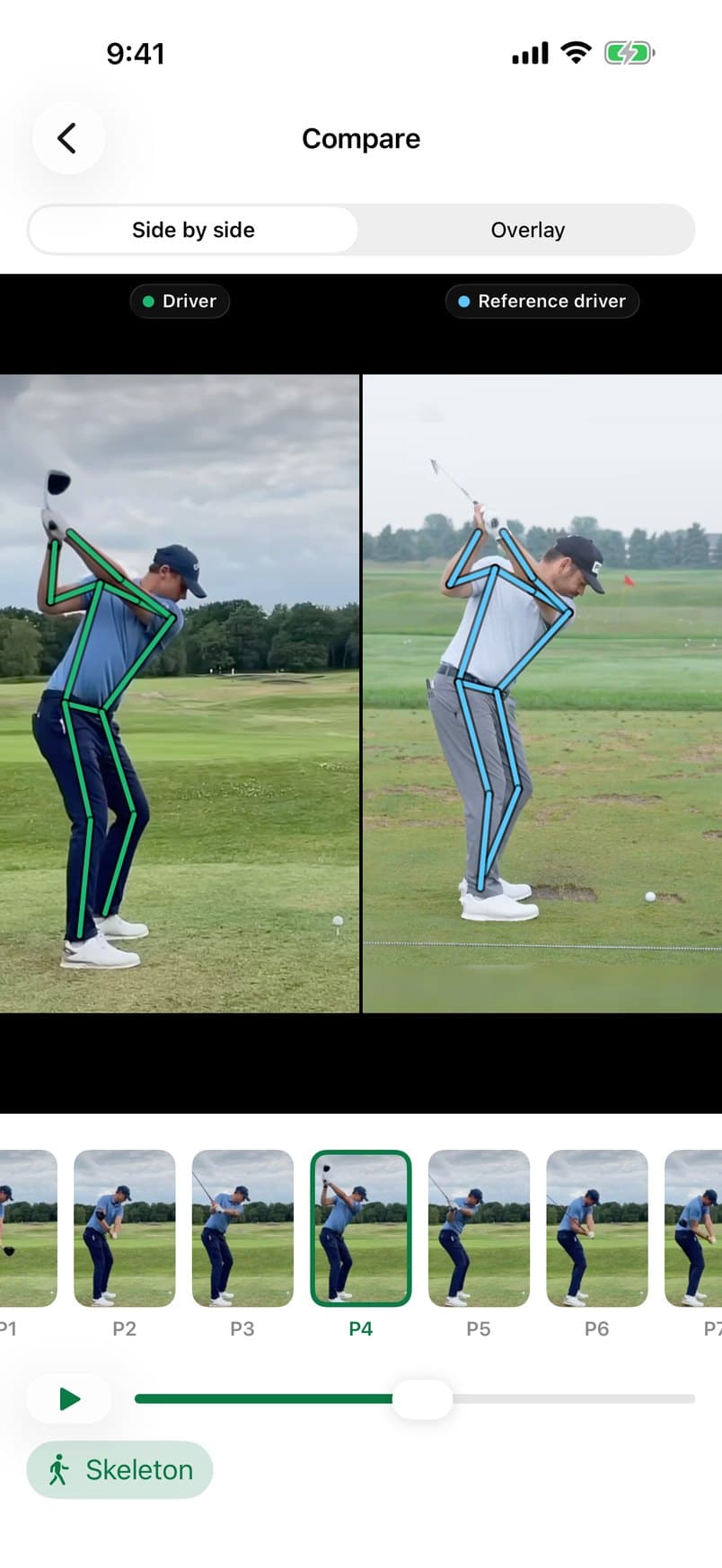
Today’s swing next to your best one.
Put any two swings side by side, or lay one over the other. They stay in step at the same positions, so the top lines up with the top and impact with impact, even when one swing is quicker than the other.
Switch on the skeleton overlay and the difference in posture is right there.
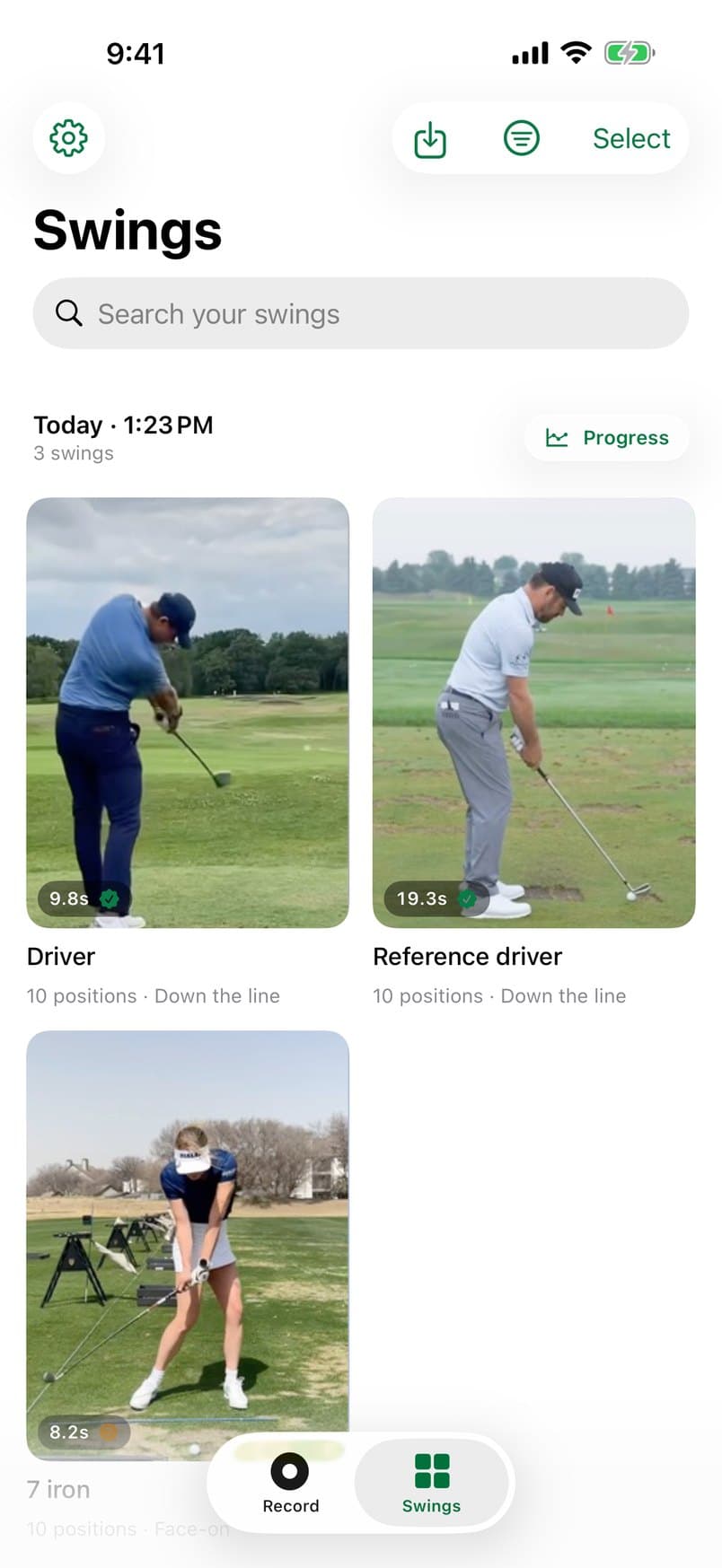
Every range session, kept in order.
Sessions sort themselves
Swings group into practice sessions on their own. See how each fault trended across the session, and star the swings worth keeping.
Send it to your coach
Save an annotated frame, an impact GIF or a slowed-down reel to Photos, or send it straight to a coach or a friend.
Already filmed it?
Import any swing video from Photos and get the same breakdown: positions, coaching, drawing, compare.
Your swings stay on your iPhone.
Every swing is analysed on the phone itself. Nothing is uploaded anywhere unless you choose to share it.
No account
Open the app and record. There’s nothing to sign up for in the app.
No ads
Nothing between you and your swing.
No tracking
The app doesn’t track you or your practice.
No cost in the beta
Free while it’s in beta. Testers get founder pricing at launch.
Questions, answered straight.
When can I get SwingOK?
Now, as a beta. Sign in with Apple on this page and install it through TestFlight, Apple’s app for beta testing. The App Store version comes after the beta.
What does it cost?
Nothing during the beta. We haven’t set a price for launch yet; everyone who joins the beta gets founder pricing when we do.
Which phones does it run on?
iPhone, on iOS 26 or later. There’s no Android or iPad version.
Do I need someone to film me?
No. Prop the phone up down the line or face-on, tap Arm and walk to the ball. SwingOK waits for you to settle at address, catches the swing on its own and plays a tone when it has it.
Does it film in slow motion?
It records at up to 240 frames per second on iPhones that support it. What you get depends on your model and how much light there is.
What does the coaching actually look at?
Your body: posture, spine angle, hips, arms, trail elbow and knee, lead leg and head, at the positions where they matter most. It doesn’t measure ball flight or club data, so it isn’t a launch monitor.
Are my videos uploaded anywhere?
No. All the analysis happens on your iPhone. A swing only leaves the phone if you choose to share it.
Can I use videos I’ve already filmed?
Yes. Import any swing video from Photos and you get the same breakdown as a swing recorded in the app.
Does it replace my coach?
No, but it makes the time with one go further. Mark up a frame, export a slowed-down reel or an impact GIF, and send it over.
Next bucket, bring your phone.
Try the beta now. It's rough in places, and we read every bit of feedback.
Public beta open now
Sign in with AppleFree during the beta. Early testers get founder pricing at launch. iPhone, iOS 26 or later.